|
Insert Map |


|
|
Insert Map |
|
Overview: XF Designer 2013 supports adding maps to the document. Maps are retrieved from http://maps.google.com.
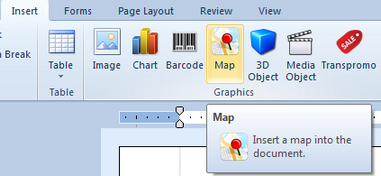
Accessing: To display the dialog, the Map button located in the Graphics group under the Insert tab must be selected.
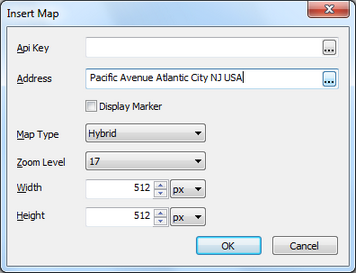
| • | Api Key - an alphanumeric string that uniquely identifies the certificate and developer registered with the Google Maps service. It is no longer required. |
| • | Address - the user defined address. It can have dynamic values. |
| • | Display marker - if the corresponding check box is selected, a marker indicating the address on the map will be displayed. |
| • | Map Type - there are multiple available options from which the user can choose: Roadmap, Mobile, Satellite, Terrain, Hybrid. |
| • | Zoom Level - reflects the level of details displayed (map's scale) |
| • | Width/Height - are used for adjusting the map's size |